


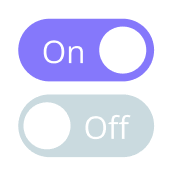
A toggle switch is a simple UI element that allows users to switch between two states, like turning something on or off. In React, making a toggle switch is easy and useful for interactive web applications. Whether you are a beginner or an experienced developer, this guide will help you create a toggle switch step by step.trendbet giriş
If you are looking for professional web development services, you can reach out to a Web Design Company In Udaipur for expert assistance. Now, let’s dive into making a toggle switch in React.
Why Use a Toggle Switch in React?
A toggle switch is commonly used in settings, dark mode features, notifications, and forms. It provides a better user experience compared to a traditional checkbox because it looks modern and intuitive.
Benefits of a Toggle Switch:
- User-friendly: Easy to understand and interact with.
- Stylish UI: Looks better than a regular checkbox.
- Improves UX: Provides a smooth and responsive experience.
- Customizable: Can be styled to match any design.
How to Create a Toggle Switch in React
To make a toggle switch in React, we will follow these steps:
- Set up a React project
- Create a Toggle component
- Manage state with useState
- Style the switch with CSS
- Use the toggle in your app
Step 1: Set Up a React Project
If you don’t have a React project, you can create one using the following commands:
npx create-react-app toggle-switch
cd toggle-switch
npm start
This will set up a React project and open it in the browser.
Step 2: Create a Toggle Component
Inside the src folder, create a new file named Toggle.js. In this file, create a functional component that will represent our toggle switch.
import React, { useState } from "react";
import "./Toggle.css";

const Toggle = () => {
  const [isOn, setIsOn] = useState(false);

  const toggleSwitch = () => {
    setIsOn(!isOn);
  };

  return (
    <div className="toggle-container">
      <div className={`toggle-switch ${isOn ? "on" : "off"}`} onClick={toggleSwitch}>
        <div className="toggle-circle"></div>
      </div>
      <p>{isOn ? "ON" : "OFF"}</p>
    </div>
  );
};

export default Toggle;
Step 3: Manage State with useState
We use the useState hook to manage the switch’s state.
- The
isOnstate determines whether the switch is ON or OFF. - The
toggleSwitchfunction updates the state when the switch is clicked.
Step 4: Style the Toggle Switch with CSS
Now, let’s add some styles. Create a file named Toggle.css inside the src folder and add the following styles:
.toggle-container {
  display: flex;
  align-items: center;
  gap: 10px;
  font-size: 18px;
}

.toggle-switch {
  width: 50px;
  height: 25px;
  background: grey;
  border-radius: 20px;
  position: relative;
  cursor: pointer;
  transition: background 0.3s ease;
}

.toggle-switch.on {
  background: green;
}

.toggle-switch.off {
  background: red;
}

.toggle-circle {
  width: 20px;
  height: 20px;
  background: white;
  border-radius: 50%;
  position: absolute;
  top: 50%;
  left: 5px;
  transform: translateY(-50%);
  transition: left 0.3s ease;
}

.toggle-switch.on .toggle-circle {
  left: 25px;
}
Step 5: Use the Toggle in Your App
Now, open App.js and import the Toggle component:
import React from "react";
import Toggle from "./Toggle";

function App() {
  return (
    <div>
      <h1>Toggle Switch in React</h1>
      <Toggle />
    </div>
  );
}

export default App;
This will display a toggle switch in your React app.
Making the Toggle Switch More Advanced
If you want to improve the toggle switch further, you can:
- Add animations to make it smoother.
- Change colors dynamically based on the theme.
- Use it in forms to enable or disable options.
A Responsive Web Design Services In Udaipur provider can also help you make your toggle switch more interactive and mobile-friendly.
Why Choose React for UI Components?
React is one of the best JavaScript libraries for building UI components like a toggle switch. It allows you to create reusable, efficient, and responsive components. Many businesses, including Udaipur Web Designer, use React to build modern web applications.
Advantages of Using React:
- Component-based architecture: Makes code reusable and maintainable.
- Fast performance: Virtual DOM ensures smooth updates.
- Easy state management: Hooks like
useStatemake state handling easy. - Great for responsive designs: Works well with CSS and frameworks.
Conclusion
Creating a toggle switch in React is simple and a great way to improve user interactions. We used the useState hook to manage the state and styled the switch using CSS. You can further customize it to match your design needs.
If you need help with web development, consider contacting a Web Design Company In Udaipur for professional guidance. Also, businesses like Udaipur Web Designer provide expert solutions for Responsive Web Design Services In Udaipur, ensuring that your website is modern, interactive, and user-friendly.
By following this guide, you can easily implement a toggle switch in your React projects. Happy coding! 🚀

